Looks like it’s time to update the list of GOOD vs GREAT apps for the iPad! I did a series of posts back when we first got the iPad and everything was brand new, but since that time we’ve “invested” in a few very worthwhile apps and have pushed many of the ‘fun but useless’ apps out to the curb in hopes of getting more LEARNING time out of the iPad!
GUIDED ACCESS:
First off, though, let me share about this wonderful NEW thing that the folks at Apple have added to the newest IOS update. GUIDED ACCESS. Yes, if you know what this is, you’re probably already jumping up and down saying “I’m so glad!!!” and if you don’t already know about it, well, I’ll get to the point! :) Under Settings go to the “general” section on the left side then select “accessibility”.
Here there are many NEW settings including a “learning” section. Under learning it says “Guided Access”. This setting allows you to triple click the home button and LOCK the iPad in to a specific app! This means that that app you turned on for your 3 or 10 or hey, 17 yr old, will STAY on unless they 1)learn your code and can input it properly (4 digit “unlock” code that you set!) or 2) they learn this next thing that I’m going to tell you.
I love guided access and it gives more independence to using the iPad for learning, because when I walk away I know the kids haven’t switched over to Pandora and made themselves a new Phineas and Ferb music station. Yes, it’s happened. However, one night as I was turning on the guided access so that my daughter would be STUCK doing her school work when she turned it on in the morning (hahahaha…), I actually, truly, got it STUCK. As in, the home button stopped working. At all. I tried powering the iPad off and that didn’t work either. The little note saying “triple click…” blah blah came up, but my triple click did nothing. So, google helped me and holding down BOTH the power and the home buttons for a few seconds ultimately powered-down the iPad and I was able to turn off guided access upon rebooting. *sigh*. Hopefully that doesn’t happen too often (that was the first time after about a dozen uses of guided access…).
HYPERLINKS:
Another neat new feature is the Hyperlink feature! Kristopher’s teacher updates the website DAILY and puts his homework online. Awesome feature. But aside from navigating there regularly, I didn’t just “see” it. Now, you can go in to Safari and click the little box with an arrow coming out of it at the top near the address bar. Click “Add to home screen” and it will create an icon on the iPad that will bring you directly to that website. Awesomely handy for my 8 yr old to look up his homework daily! :)
APPS MY KIDS LOVE THE MOST
ABC Wee Sing: I think this is Lynae and Brianna’s favorite app! It has an option to explore the ABC’s with letters and saying their letter name. You also explore animals where each animal is drawn (cartoon style) with a musical instrument, and the letter they start with- one for each letter of the alphabet. Clicking the letter or the animal or instrument will tell you the name and sound of that item for instance, click the letter “A” and it says “A, the alligator plays the accordion”. Click the “instrument” circle and it plays a sample of what the accordion sounds like. Click the “animal” circle and you hear what an alligator sounds like! This is pretty interesting when you get to Yetta the Yak playing the Yuachin (sp?). Cool to hear what that sounds like!
This last part is actually my kids’ favorite! It’s the ABC song… however… it’s available to play several ways. It can just play it and you listen, and it shows musical notes dancing by each letter as it’s sung. The fun way is to “play along” and it brings up the alphabet and says “press go to begin”. Then, it plays the music and YOU select the letters (they are displayed in order) and try to put them at the appropriate places in the music. Each letter is “sung” so it will fit correctly together in the music. For some reason, this is a challenge and a big HIT with the girls!
Monkey math: This is still one of MY favorites, and teaches kindergarten level math skills such as patterning, numbers, adding, subtracting, and gives ‘prizes’ for skills that are reached. Brianna loved it last year and now it’s appropriate for Lynae’s learning level!
Special Words: This is the most money I’ve spent on an app (over $10, I believe maybe it was $13?) but it was WELL worth it. This was designed by the group Down Syndrome Education International. It is the “See and Learn” program on an iPad! You choose to match pictures of objects to pictures, or words to pictures, or pictures to words, or words to words! It is customizable as well to add in your own pictures and words as well. This gets your kids READING!! :) (this is an app I frequently “lock” the iPad on to with the Guided access feature!)
Special Numbers: I admit, I purchased this because of my high hopes since I really like Special Words. I haven’t spent nearly as much time on it however it is similarly customizable and works on counting, matching numbers, number order, same/different, how many, and more. I am looking forward to exploring this one more, and again… it was similar cost to the first but one that I believe to be a good investment since I know the research and design that went in to the whole program!
Clean Up: This app is still one of Brianna’s favorites and it helps a child with making categories. This was redesigned after we originally bought it an now shows instructions at the beginning and “how to” play. There is a shopping cart, toy box, and closet picture and an item is shown at the top. You drag and drop in to one of the three pictures to categorize it. Quick moving if the child wants it to be, and the instructions have about a 3 second delay then repeat. “where do the pajamas go?” (wait 3 seconds and repeat). It can get annoying if a child walks away from it, but if they need reminders of what they’re doing, it’s great! :).
These are just a few of the kids’ favorites. My great plan is to get more of our favorites posted again over the next days, so we’ll see how well that happens! :) For more app reviews go to http://cornishadoptionjourney.blogspot.com/search?q=ipad+apps

The Cornish Family... Chasing God's calling...
Showing posts sorted by relevance for query ipad apps. Sort by date Show all posts
Showing posts sorted by relevance for query ipad apps. Sort by date Show all posts
Thursday, November 29, 2012


Thursday, May 19, 2011
iPad Apps- Alphabet and Writing
I've been going through our iPad apps and writing up what each one is about and whether we like it or not along with what its best uses are. Here's the first (of several) post with the alphabet and writing apps that we've tried out and have at least made it to the "second cut". Many of them are GREAT apps which I highly recommend! Several of them made it to the second round on the iPad and are about to be uninstalled. So... happy reading, and please share any Alphabet and Writing iPad apps that you like (or don't like!) with us as well! Please also note if they are FREE or if they cost something ($-$$$)
Here goes...
Here goes...
iPad Applications (05/2011)
Pre-K Alphabet and Writing-
- Starfall ABCs ($) This is one of my favorite app’s for the alphabet! Brianna spends literally hours exploring this app. Originally designed for iPhone (but being used on our iPad), it brings up the uppercase alphabet as ‘stacking blocks’ which move side to side sliding along their rows as the iPad is tipped sideways. When a letter is selected, the letter shows up in uppercase and lowercase form and says the letter name twice along with an object that starts with that letter (not spoken) such as a horn (with sound) for H. There is a blinking arrow in the corner to press to go on to the next screen, and the letter sound (hhh) is made as it transitions pages. Another pointer shows to press the lowercase letter on the side of the page, with a picture in the background (h, helicopter). Press the letter and it makes the sound, says the name of the picture, animates and puts sound to the picture, and brings the letter down to the bottom of the screen where the word for the picture is written (hhh, helicopter), then another arrow appears to advance to the next screen, along with a vocalization of the letter sound with the screen transition. There are two more “identical” screens, with different words represented and animated, etc. **The program does not allow the child to advance to the next screen until the animation and sounds, etc are complete!** After 3 words, the letter H goes to a game saying “make a match” which is a basic concentration or memory game with uppercase and lowercase letters being matched together (6 pairs). Letters are spoken as they’re chosen, and the letter sound made when the match is made. Encouragement “You did it!” and music plays at the completion of the game. The next screen shows a sentence with an animated picture “See the happy hippo”. The words are spoken and the picture animated, and it’s hard to see, but that picture was under the concentration game while playing. This is one of the few apps I’ve paid for but I’m very happy with the amount of thought put into its development. Starfall.com has been a long time teaching tool we’ve used with our children which has additional (free!) features too!
- 5 Pumpkins ABC and Me! (FREE) I love this 6 in 1 app! These are basic flashcards, but with some customizing available. The six areas are letters, numbers, shapes, colors, vehicles, and foods. Each area allows you to ‘star’ certain cards and in the settings you can choose to see only starred selections. When working on 5 alphabet letters or three basic colors, you can choose to have only those shown. This is great! With letters it shows a capital letter with an object (A, apple) and the object name (Apple) written below. A ‘flick’ advances the pages, right to left. The letter is spoken, the sound spoken, and the name of the object as well. For the other sets of flashcards only the name of the number, shape, color, etc is spoken. The colors have a child’s voice. It’s a very basic app but with the ability to customize which flashcards are shown it is worthwhile, and, FREE!
- ABC Al… Touch “PhotoTouch” ABC. (FREE) This app is just a little more advanced than basic alphabet flashcards or ‘teaching’. It shows three uppercase letters on the screen then says “Touch the L”. Choosing the correct letter ‘circles’ the letter and a verbal encouragement “Super!” (rotating encouragements!) is given. If incorrect, a sound (not discouraging) is played. The same positive encouragement is given regardless of the number of wrong answers previously given. After several correct answers, it becomes a choice from four letters, then five, six, etc up to 10 letters shown. Their layout on the screen (scattered) changes as well. In the corner is a “replay” button to repeat the requested letter (spoken).
- iWW Lite, I Write Words (FREE) This is the lite version and isn’t a full program, but, it’s FREE which is nice! This is a cute concept that teaches how to make the letters (writing). It uses spoken words and small animations to encourage and make it fun, clapping sounds, etc. A little face shows up with colored numbers on dots along the outline of a letter. Drag the ‘monster along from number to number like connect-the-dots to form the letter. If it’s dragged outside a small perimeter box, then it resets at the beginning. If you stay within the box and within generally close proximity to the letters, it accepts your approximations. Uppercase A, B, C are included in the lite version as well as lowercase a, b, c, numbers 1-9, a few basic words (cat, cup). This is one we will consider purchasing in the future if our kids take off with the concept, but the lite version allows us to know if they’ll really use it before purchasing!
- ABC Alphabet (coloring) (FREE) This is a very basic app, but if your kids like to color with their iPad then it is a good one. It’s got a basic technique of coloring in a whole area at a time and shows the entire available color palate on the side of the screen. Can zoom in and out on the photo and save, though we don’t really use those features. Each ‘coloring page’ shows a letter, object, and word “B b (picture of ball) Ball”
- Pocket Phonics ABC LITE (FREE). There are two games here, letter sounds and writing and word game. This one is also based on writing letters correctly and suggests “Say iii then write”. It is more precise than the other writing app and says “try again” if it’s incorrect. Some of the directions are written (when I say a sound, touch it) . It forms words by asking for sounds and you touch the corresponding letter ie: “iii” “ttt” “it” “it”. It also shows pictures. It’s not a very exciting game and the voice isn’t super encouraging, but it is a good app if you’re sitting with your child and able to encourage them to continue and give brief promptings to get started on activities. Full version includes the entire alphabet and you can add users.
- ABC Free (FREE). This app shows an opening screen with the alphavet, a mixture of uppercase and lowercase (lowercase I and J) with pictures next to each letter representing their sounds. When you select a letter, the screen changes to show a scrolling version of the homescreen in one long row across the top, then speaks the letter name “O” and shows the image for that letter larger in the center of the screen. Tap the picture and it says a sentence “O is for orange” and has it written in all CAPS across the bottom of the screen. I didn’t think it was that entertaining, but… Brianna enjoys it. So, we kept it and she is learning when using it, and that is the goal! The images are fun and in a ‘drawn’ style.
- ABC Coloring Book (FREE). This app opens with a painter’s palate with the alphabet on it. Select a letter and it speaks “M, monkey” and shows a small image of a monkey near the alphabet letters. You can change the backdrop from a painter’s palate to a winter scene, but some letters are locked in the winter scene. Click the image of the monkey and it becomes a coloring page with a digital ‘pen stroke’ to color with (as opposed to clicking an area with auto-fill). The next letter is at the edge of the screen to choose to advance that way instead of by going back to the home screen. A cute coloring tool. “Monkey” is written at the edge of the screen and clicking on it vocalizes “M, monkey”.
- Alpha ABC Free (FREE). This is one that I don’t think will stick around long on our iPad. The voice, quite frankly, is annoying!! It’s a child-like voice but not a comforting or playful one. You can choose which type of African animal is above the alphabet flashcards and advance the cards with the right to left flick. “Aa” with a picture of ants and “Ants” written below them show on the card. Ads on the top of the page. Again, not one that’s sticking around on our device, but another generic flashcard program if you’re looking for diversity.
-
- Alphabet World Free (FREE). I believe this is by the same developers as
- Z is for Zebra (FREE). This opens with an ad… which is annoying! The free version has the first 8 letters of the alphabet. Choose a letter from the home screen and it shows the letter with a picture representing it “Ff (pic of fish)” There’s a “volume” looking button in the corner that makes the letter sound. VERY basic, one that won’t stick around for long because it’s not very exciting and because it doesn’t engage. It’s one the kids quickly click the button on because they can’t figure out what to DO with this app. But for some simple instruction on letter sounds, it’s one more avenue to use.
- Toddler Alphabet- Toddler ABC Lite (FREE). This one looks cute and plays music and speaks in a fun voice when opening it, but that’s about how long it lasts with Brianna. It works like a wooden puzzle, putting 3 puzzle pieces in to a puzzle, all starting with the ‘a’ sound. Then… what do you do?? At the very top of the screen you have to move a small picture along a maze to go to the next activity. It’s not a very exciting game. No suggestion as to WHY the baseball, boat, and bear are chosen… no visuals of their words or the letter sound isolated. Another that we click on and expected fun learning but were disappointed. HOWEVER, there is an alphabet song with the ABCs all dancing which the kids like to listen to as well as an area to write each letter. Except… that it doesn’t make you do the letter correctly or say “oops” or anything, it just makes sure a few key areas of the letter are covered with pen, but the ENTIRE page could be colored in and it says “good job” and continues on… The “learn the alphabet” area has a whole page of letters but no directions of what to do with them. You eventually figure out that you press the “b”s if that’s what is shown at the top of the page. Not very good directions. It circles each correct letter and makes a sound at wrong ones, then uncovers a picture when all the letters were selected. Again, not really a winner, but has potential to be a decent app maybe with some upgrades to the directions.
- Phonics Free- Learn Phonics (FREE). This one has three parts. Letters part has all the uppercase letters and as you touch them they say their letter sound. Very simple, but cute and easy to use and understand. Word Construction you choose a letter and it shows a word starting with that letter. Click the word’s letters and they make their sounds. Also shows a picture. Changes one letter at a time to make new words when possible. “Bad”, “bed”. Several words for each letter. Does not allow you to advance the word before the previous word is written and sounded out. A cute app, decent build to it and one that we’d consider purchasing if the kids enjoy using the free version.
- Trace Right! (FREE). This is a PARENT app, one that shouldn’t be handed to a child and let them go with it. Instead, it’s a great one to sit with the child and do together. It shows ‘b’ and shows how to draw it then has another one drawn to trace over. It does correct you but only if you ASK it to. It is also pretty precise, since I did it ‘close’ and it kept telling me to try again… you can advance without it being ‘right’ if you decide to. Also, if you tap three times, it starts the same word three times and stutters. This is one of the 'tests' I do with apps since my kids tend to press multiple times for a single request. I like the concept, but it does need a little work.
Your turn! Any Alphabet and Writing apps that you love??
Thursday, April 14, 2011
Free ABA iPad apps for the month of April
April is autism awareness month, and http://kindergarten.com/ is giving away all of their apps made for the iPhone and touch. But I said iPad? Yes, the apps can also be used on the iPad and made to fit the screen by touching the 2x button in the bottom corner. There are 24 apps, all normally 99 cents each, so don't forget to go, click, and download these great FREE apps while it lasts!
You don't have to have a child with special needs or autism, they are free for anyone :)
I've only had a minute to play with them, but I'm counting on getting some good use out of them at the cardiologist office today when 3 of the kids are being seen!
You don't have to have a child with special needs or autism, they are free for anyone :)
I've only had a minute to play with them, but I'm counting on getting some good use out of them at the cardiologist office today when 3 of the kids are being seen!
Friday, May 20, 2011
iPad Apps- PreK Numbers
Pre-K Numbers
- 123 Numbers- iTouchiLearn Numbers (FREE). This opens with familiar music and as spoken words and animations to show each number. It does it very quickly and doesn’t pause to allow you to count the objects, though it does count them for you. The games are something Brianna enjoys playing, The Frog Game has 3 frogs and gives oral directions to select the correct number for how many frogs are there. Music plays throughout the time on the app. You earn stars in the games and has encouraging comments throughout. The matching game is one that Brianna likes to play, especially. It goes into a little higher math skill with “touch the lowest number”. Another very basic app, but if my kids like to play with it and will learn while doing it, then that’s worth it to me! This version has only 1-2-3 unless purchased, so the free version gets kindof boring pretty quickly.
- Finger Count (FREE). Practice is interesting… you have a visual that’s very abstract that looks like two hands placed palm down on the iPad (thumbs in the middle). The fingers are numbered with number WORDS, which isn’t helpful for kids who are learning their letters and numbers still, but does introduce the sight word of the numbers for later on. This is one of those apps that looks like a great idea and ends up being a bust. It’s uninstalled. Too abstract, not enough directions to figure out what you’re supposed to do, etc. And that’s ME, not the kids J
- Toddler 123 Free (FREE). This is a partner to Toddler Alphabet/ Toddler ABC also reviewed. The number one seems to be better designed! It describes what to do a little and at the top has arrows (tho they appear to be disguised!) to advance activities. This is the same wooden puzzle idea, with a story spoken then you choose the puzzle pieces and it audibly counts which answers the question. You do have to get the right squid into the right space, which is kindof annoying. But, it’s a step up from the toddler ABC game. The number song is cute. It has something written in some weird language next to the 123 at the top, but then sings “10 little Indians” with a unique accent J. Writing numbers is another fail out because you just have to scribble on the page and it says “cool” as long as the entire number is colored in too…
- Dots Lite! Tots for Dots (FREE). This shows one dot, then speaks “one”. Touch the dot, the number 1 shoes. Touch the number 1, two dots show and “two” is spoken. Each time the screen is tapped it advances. You cannot count the dots by touching the screen because it advances. Another very basic one, not one I love.
Monday, May 23, 2011
iPad Apps- PreK Colors
Pre-K Colors
- Smart Baby Colors (FREE). This app shows stripes of a color and says the color and has the color name. On a tap or swipe it changes to “green iguana” with a picture of an iguana. You can tag some to set it up to only see some of the flashcards- “favorites”. A good app.
- Color Match (FREE). This is a concentration game using colors. You can choose for the pictures to be face up or face down and can choose whether there are 2 sets (4 cards), 4, or 8 used. As each color is flipped over it says the color name. When the colors match, the tiles are removed and a picture is below of a crayon. Brianna loves this one!
- Color Slapps (FREE). 3 levels of play, Level 1 says “Find black” with only black on the screen. Level 2 has two colors. No recognition of wrong answers, only correct answers. “Find pink” repeats every few seconds to prompt the child. Level 3 has three colors to choose from.
- Parents Flashcards (FREE). I have in-app purchases disabled (for ALL of my iPad!) and this program gives me tons of errors because of that! The free ones are colors and shapes and there are flashcards and quizzes. They’re decent! The quizzes ask which color is… and has the name of the color at the bottom. 4 choices to choose from. This is a nicely made app, the only down side is that it has arrows to push rather than a tap or flick to advance.
- Balloons (FREE). Colors, numbers, or animal games The bad part is, the color is written on a sign on the left side of the screen! Idea is to pop the balloons that are that color. The color word is written in its own color, so you can see “yellow” IS Yellow, but still no verbal directions. For the numbers and animals, it’s not as easily distinguished, so if you don’t know the number word you can’t play the games without help. Great for learning color, number, and animal words though!
Saturday, May 21, 2011
iPad Apps- PreK Words
Pre-K Words
- Smart Baby Food festival (FREE). This one has several sets of free flashcards and others you can purchase. Breakfast foods are free. A simple tap advances the screen. This does have several settings you can work with. You can choose to show words then flachcards, or images then words, capitalization customization, and you can add, delete, and customize flashcards, record voices, playback, add photos, etc. It appears to be very customizable!! I HAVE NOT USED THESE FEATURES YET. I did choose “Words then flachcard” and it shows the word “Bread” and speaks it, then shows a loaf of bread with the word below and speaks it again. I like it! J One option is to see the list of ‘favorites’ where you can star words in ANY flashcard set (within this app) and you can view all of those together.
- Smart Baby my first couplets (FREE). Very similar to the Smart Baby Food festival app, there are custom settings such as capitalization, play mode, timing, and sound. Animals, shapes, foods, toys, etc are all on here, but this one goes a step further and gives an adjective for each noun “healthy broccoli”, “long carrot”, “soft koala”. A neat app with a lot of custom features.
- Smart Baby Around town lite (FREE). More customizable flashcards with park, businesses, vehicles, shuffle features, and the ability to choose favorites within the app and view them all together.
- BEE Free Animals First Words (FREE). Animal flashcards—it has the N backwards!! YIKES! This shows a chalk board with letters and a animal in the corner. C O W. Cow. You can choose to ‘speak’ or ‘spell’ in the top corner, then a next button to advance. It’s an app that my kids will play with, and it teaches spelling and is cute. It does really bother me that they write the N backward in their name though!!
Sunday, May 22, 2011
iPad Apps- PreK Animals
Pre-K Animals-
- Farm Flip (FREE). A basic concentration game! The initial screen has all the animals and as you touch them they play their sounds. Touch “play” and use matching to find each animal pair. After being matched the animal sounds play and the card becomes a watermark where it was. A very cute, simple, independent game!
- Animals Tool (FREE). This has a bunch of animals in a ‘board’ but they are goofy looking renditions of the animals with one eye bigger than the other in all of them and parts of the body emphasized like a big nose or head, etc. When each is clicked on it plays the animal sound. This is a very basic app and doesn’t say the animal name, so I don’t use it much. It’s not one I’ve noticed the kids getting interested on their own and won’t be staying installed. Maybe the full version has more features?
- Animal Farm (FREE). Little animals each have their place around a farm. After you put them in the ‘puzzle’… well, not sure what you do! This one’s getting uninstalled.
- Animals Free (FREE). This has you choose English or French right off the bat, which is annoying for Preschoolers to do on their own, but then has real NICE quality pictures of animals. Click the animal photos and their sounds play. Scroll down to see MANY beautiful pictures and hear the unique animal sounds. Beautiful real life photos make this one worth it. Not sure what else the paid version has, but this one’s worth it alone even!
- Photo Touch Farm Animals (FREE). This is similar to an alphabet app, the same maker. It gives 3 animal choices and says “Touch the goat”. A correct answer gives positive reinforcement. As it progresses, it goes from 3 choices up to 10 to choose from. Great real pictures with white backgrounds and shows in all different patterns on the screen. Good for identifying and learning instead of just feeding information.
- Flashcards (FREE). Only one set of cards is free—Animals. The flashcards show a cartoony picture of an animal and say the name, it also has the word written below the animal and a ((())) sound button. Click the animal and it makes the animal sound and says the name. Click a letter of the word and it says the letter name. Click the ((())) sound button and it says the animal name. Advance with a ‘flick’ or after time it will advance. A good one!
- I hear Ewe (FREE). This has several pages of cartoony animal faces and transportation vehicles too. Twelve on each page, and I like this for WESLEY! You click an animal and it says “this is the sound the frog makes” and makes the sound. That is great because the name of the animal and the sound are together. Since he has vision issues I love that he hears the animal name and sound so even if he doesn’t see the animal, that he associates the animal sound and name together. Not an annoying voice either, which is helpful!
- Animal Sounds (FREE). A large set of animal pictures, click one and it brings up the animal picture with the word below. The animal sound plays. No spoken ‘name’ of the animal. Click on it and it goes to a second picture of the same animal. Another click and it goes back to the home page. Not a bad app, real life pictures, but not very exciting. It can be customized but I don’t see a way to have it say the animal names aloud.
Tuesday, January 11, 2011
The Malone Family
 Isn't he a cute little baby?? His name will be Ethan soon, and he's just adorable! Wearing a 12 months sweatshirt and a pair of 12 months overalls in that photo (taken when I had the joy of meeting him in September), he weighed about 15 or 16 pounds at that time I would guess. So petite and tiny just like any baby should be... right? Except... that Ethan is SIX YEARS OLD.
Ethan has Down syndrome and an associated issue which caused him to need a colostomy. That means that instead of digesting his food, it almost all 'runs out' of the hole in his side where he has bowel movements instead of going through his entire digestive system. People can live with this, but obviously Ethan isn't getting what he REALLY needs to be in order to have enough nutrients to learn and grow!

He is so tiny and needs surgery as well as a LOT of love and care! The Malone family is up for the challenge!
Not only are the Malones living out James 1:27 (to care for the orphans!) but Chris is a full time music minister at his church, and his beautiful wife, Mary, is a full time mom to their kids. I can speak from experience in saying that it isn't exactly an easy thing to manage a large family on a single ministry income :). Then, to do an international adoption that you know God has called you to... that takes another level of faith! And THEY HAVE IT.
Now, they need the funds. The Malones are doing a give-away on their blog of... an IPAD! Yep, one of those coveted new toys which is not only great for on the go work, but also for special needs kids! Michael has one for work and was able to bring it to Ukraine with us. We used it constantly as we were out and about, and Wesley quickly figured out that even he could 'draw' on it with his fingers on one of the apps.
Eventually, we hope to get one of these for the kids for communication and learning! Maybe we'll win it ;)
But right now I wanted to not only tell you all about the Malones and ask for prayer for their journey, but to share this opportunity to donate (they need it!) and to have the added benefit of the opportunity to be able to be entered to win this IPAD (you know you want it!) at the same time!
The Malones have an appointment this month at the SDA! HURRY!! Their give-away closes on January 22nd (a great day to be born *ahem* and I don't mind you donating whatever you planned on buying a birthday gift for me with to their adoption! LOL). A winner will be chosen on January 23rd.
You can view the Malone family give-away at http://themalonefamily.us/?p=2548
ENTER NOW! (This link should say "Ukraine Ministries of Oklahoma" when it links to paypal, and all donations are tax deductible)
Wednesday, September 03, 2014
What's in those Work Boxes? 8 types of activities to fill the drawers and the day.
I blogged our 5 things that keep me sane recently and had a lot of people raise the question-- what's in the work boxes, and what do you use to teach the kids during the day? Here's post #1 with a really basic overview. Of course, some time on Pinterest would likely yield you more results in one tap than this will, because we've purchased materials over the last 5 years of having preschoolers (and buying educational items for birthdays, Christmas, and from relatives for those also!) so our cabinets are well stocked with educational supplies that were purchased. Many of these things can be replicated from home to do the same function!




.jpg)


In the 'grouped' picture is a mailbox with letters and a package, Noah's ark and animals, a cash register that names off numbers and has some sounds, a handful of Ninja Turtles, and a Fisher Price Farm. The next picture is a Fisher Price doll house with all the farm animals arranged however Lynae saw fit this afternoon, and then a coin sorting cash register with coins that fit in SIDEWAYS (flat), which is a different skill than most coin tasks.
We throw in baby dolls and strollers, magna doodles, and other 'fun' items that hold little educational value other than teaching while they play, (some of these are pictured later). Bead mazes are a favorite of a couple of my children, so we incorporate those too!


Here it is... what's inside... what the kids are working on!
What it looks like:
I won't even pretend that it looks that amazingly organized all the time. But in general, I have drawers for 'flat' activities, I have bins galore that stay in their bins, and I have magazine organizers and small plastic document bins for other projects when I run out of drawers! :)
1. Workbooks, copy sheets, and dry erase pages...
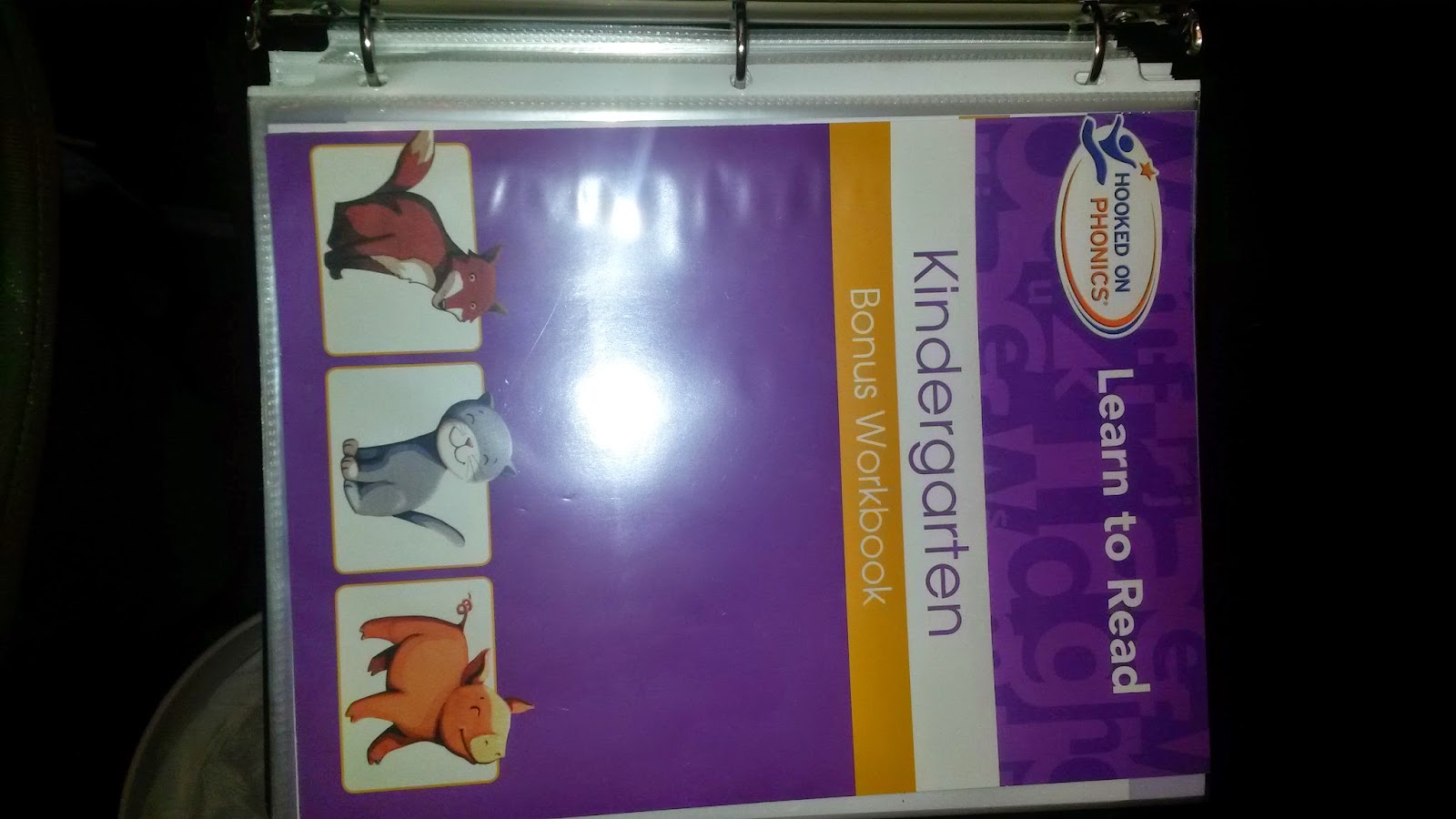
Right now, Brianna is working on Spectrum 1st grade math and we're starting off with review of Kindergarten Hooked on Phonics, and her books are all in dry erase pages, then in a binder and dropped in one of the BIGGER drawers which will hold the binder at a bit of an angle. She's also working on writing her name, which as you can see, my erasing is starting to take the permanent marker off with it! She's also working through a basic printing handwriting book, which I've set up for her to write in since it's easy enough to replace for $1. :)
Lynae is working through A Beka Kindergarten, so many of her drawers have numbers, letters, Bible, Science, Think and Learn, and printing practice from that curriculum. I have her "monster page corners" on books so she can find where to start each day without flipping through the book for a long time. These are just a folded strip of paper with eyes and teeth added that she and I made together. They have helped her a lot with independence and she thinks it's great to have them!
2. Bible Verse activities:
The girls are both in AWANA at church, and this is our first experience with that. Each week they have a phrase they are supposed to learn such as "S is for Savior" along with a scripture memory verse. I took each of these and printed them on a sheet of paper, then also blew them up and cut them in strips so the girls are physically working on putting them in order, while we are working on learning the verses. To keep me organized, the date of each memory verse is written in the corner of the page as well as on the back of each strip.
3. Fun activities for ALL the kids:
I put Snacks in one bin, the computers have 'tags' on them for time on there, the art easel also has a scheduled time, and so does the board book area. We also try to get everyone outside (barefoot and all!) at some point in the day. Sometimes these activities can hold a more structured 'value' (such as painting or making a specific project at the easel, or having an organized outdoor activity or educational computer game) but for right now I'm using those as reward time since I'm not that organized yet this year! :)
4. The "preschool play time" that every kid needs:
There are times when we treat our children what their ages say they are, and there are times where their developmental levels are really more important. Socially acceptable but developmentally appropriate is a hard thing to figure out. Well, my kids from 2-almost 12 enjoy these same activities if they're working on a toddler/preschool developmental level, and social appropriateness goes out the window when we're working on 'skills' ... including HOW TO PLAY, which is an underdeveloped skill in many kids from orphanages, such as 3 of mine!
In the 'grouped' picture is a mailbox with letters and a package, Noah's ark and animals, a cash register that names off numbers and has some sounds, a handful of Ninja Turtles, and a Fisher Price Farm. The next picture is a Fisher Price doll house with all the farm animals arranged however Lynae saw fit this afternoon, and then a coin sorting cash register with coins that fit in SIDEWAYS (flat), which is a different skill than most coin tasks.
We throw in baby dolls and strollers, magna doodles, and other 'fun' items that hold little educational value other than teaching while they play, (some of these are pictured later). Bead mazes are a favorite of a couple of my children, so we incorporate those too!
5. Manipulatives with a mission:
These items are fun but serve a purpose. Puzzles are good matching and fine motor as well as spatial awareness. Counting bears can be sorted by color, these have 3 sizes so can be sorted by size, and can be used as manipulatives for math problems as well. Blocks are great for stacking, but also for lining up, for completing visual puzzles of "create this shape" (trace around a group of blocks to make a picture on a piece of paper that the child has to replicate). These bean bags each have either a letter on them or are cut to a specific shape, and they can be used for teaching those specifics, for identifying colors, or for several gross motor tasks like throwing them to a target, standing on one leg or an uneven surface, etc, and bending and standing back up to pick them up. The "pie" is filled with fruits which can be picked up with the included 'tongs', or can be sorted by color or by type (there are two type of fruits per color!). Lacing beads, colored blocks, and counting bears can all be used to replicate patterns shown on a piece of paper. Lacing beads are also a great OT activity in general, both the large ones (pictured below) and small ones. Smaller ones often have letters on them and can be used for spelling words or Bible verse memory as well. Use your imagination... MANY things can be used as manipulatives that double for learning! Snap beads (pictured later) for making jewelry are a great play-and-learn skill for OT!
6. Learning toys with specific purposes:
Seen above in the item with lots of baggies is a tin of muffins which are a shape sorter, the icing and bottom separate and each muffin has a different shape. The shape is also in the bottom of the muffin tin, so it is a two-fold activity. There is also a 'balance scale' and this is great for use with blocks, weights, beads, etc to figure out how many make it balance and understanding the concept of weight as a measurement versus size alone. Also pictured above in the top bin over the blocks is a bin of cans, which each contain a different number of a fruit or vegetable. It replicates 'canned' foods, but is used for sorting, counting, and learning what each item is. Lastly, pictured above with the puzzles is a set of 'crayon shaped' containers which contain a variety of items that are all different sizes and are all different shades of the color that crayon is representing. This teaches color recognition, but also teaches diversity within the shades of the color spectrum.
Now for some other things... Another 'cans' game, because Brianna LOVES the sorting cans above, this one has the entire alphabet and includes heavy cardboard cutouts of items starting with that letter. On the back of the cards are the word (which helps me cheat!). Also below are flash cards galore, which we use sparingly, but mostly to test knowledge rather than to teach. Vocabulary photo cards are a little different, though, and we do use those to teach and build up a vocabulary with things that establishes words some of our kids haven't heard, especially those who missed out on the first 5-8 years of learning time. In the bins below, the top is manipulatives and fine motor task items, but the bottom are puzzle cards for spelling words, doing math problems, etc. The child puts the puzzle together to solve the 'things that go together' or to write a word (each letter of a 3-5 letter word is a puzzle piece.
7. Artsy, Craftsy, easy stuff:
I may take a peek on Pinterest every 4 months or so, but I'm seriously not a Pinterest follower. So, our arts and crafts go along with our projects, and we do a lot of crayons, color wonder markers, stencils, and, the bin in the photo below with plastic baggies in it? Those are a bunch of pre-made Oriental Trading activities to do with the letters of the alphabet (and around them is the rest of the Hooked on Phonics curriculum). We also have the art easel for drawing/tracing and coloring, and I have great plans of getting the kids painting (we picked up paint brushes and no spill containers for a certain boy's 8th birthday coming up...!)
8. The digital age:
We have a Plex server set up at our house which runs off of one of the kids' computers. It has a category called 'educational videos'. It is the warehouse for all of our DVD's so that they don't have to be ruined by tiny fingers... but more specifically, it has the entire collection of Magic School Bus shows, Signing Time series 1 and 2, and many Leap Frog and other such videos which teach through video. We've found some for math, reading, and even teaching about the weather.
We also have 2 iPads which the kids can use (with major military grade cases on them!) and through the Guided Access function, we can lock the iPads in to an activity and they cannot unlock it. There are several apps like "Special words" created for children with special needs, or ABCMouse.com (called Learning Academy on the iPad, I believe), which are great for the kids to 'lock in on' and enjoy some digital time without the 'easy access' of the computer which, at any time, may just HAPPEN to click over to MineCraft rather than my chosen activity for them!
We also have 2 iPads which the kids can use (with major military grade cases on them!) and through the Guided Access function, we can lock the iPads in to an activity and they cannot unlock it. There are several apps like "Special words" created for children with special needs, or ABCMouse.com (called Learning Academy on the iPad, I believe), which are great for the kids to 'lock in on' and enjoy some digital time without the 'easy access' of the computer which, at any time, may just HAPPEN to click over to MineCraft rather than my chosen activity for them!
Michael took some old cassette tapes with stories on them and made them into MP3's which the kids can access along with the digital versions of the books right on the ipad. Don't ask me how he did it... he just did. I believe they are in the educational section of the Plex server as well!
There's also Starfall.com and PBSKids.com which provide FREE educational games and activities which are a nice down time activity or something you can really look in to and schedule in to match up with whatever you're teaching. It's great for seasonal learning, too. :)
There's also Starfall.com and PBSKids.com which provide FREE educational games and activities which are a nice down time activity or something you can really look in to and schedule in to match up with whatever you're teaching. It's great for seasonal learning, too. :)
More and more...:
Of course there's more we do and specific different activities we have done or will do again in the future, tongs and ice cube trays and erasers and gooey lizards fill some of those bins, but to be specific would take way more time than I have right now, so... there's the basics of what we work with! :) What do you use to create environments for learning with your kids?
Subscribe to:
Posts (Atom)